Re: Feature Requests

#511
Prog wrote:
Wed Mar 30, 2022 6:34 am
1. big functionality = bad usability :) Do you really like menu of channel with 200 items?
3. OK. I'll think about it. But ProgDVB/ProgTV is end-user software. Not for TV monitoring.
Thank you for the reply and for the great software, i am new user and still getting used to the program.
1. "big functionality = bad usability :) Do you really like menu of channel with 200 items?" No I dont like menu of channel with 200 items and I now find solution to this request, I can press enter on K/B or "L" and it shows source.
2. ..
3. Thank you.

Re: Feature Requests

#512
Prog wrote:
Wed Mar 30, 2022 12:13 pm
What I can do for detection of fullscreen?
I don't know. Maybe it has to be exclusive fullscreen, not windowed fullscreen for G-Sync to work? Like i wrote, G-Sync is active when i'm using PotPlayer with fullscreen mode, so maybe something can be done with ProgTV? I'm not an expert. I tried different video renderers, but none of them work with G-Sync.

Re: Feature Requests

#514
Prog wrote:
Wed Mar 30, 2022 4:59 pm
I am not have idea what PotPlayer do. But I am not like exclusive mode. In any case please post any information which you will find
PotPlayer is just video/audio player. I had the same problem with some game. G-Sync wasn't active even with fullscreen mode. I searched google and found out that there are two fullscreen modes, windowed fullscreen and exclusive fullscreen. Maybe the problem is there?

Re: Feature Requests

#515
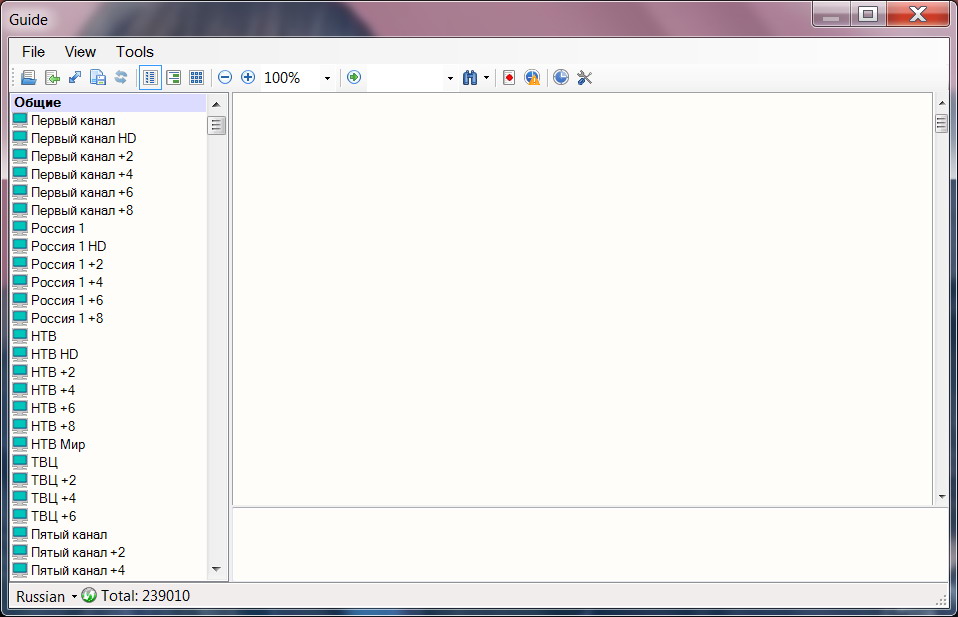
Why in Guide window TV channels is not collapsible to major groups? It is hard to navigate over 1000 channels.

Also on video playback it would nice to add buttons like: Move forward to X minutes and Move backward to X minutes as it done in some video players. I is really useful feature

Re: Feature Requests

#519
I mentioned some time ago that when i use ProgDVB on second monitor i am unable to double click mouse to enter fullscreen, i am not sure if this would be a feature request or a bug as i am able to double click the mouse on my primary display but not on second display.

Re: Feature Requests

#524
I dont have any additional software for desktop, i have found that if i switch channel after opening progdvb i can then enter fullscreen on main monitor and then switch back to original channel allows me to enter fullscreen, not a major problem as i can do this to workaround issue